
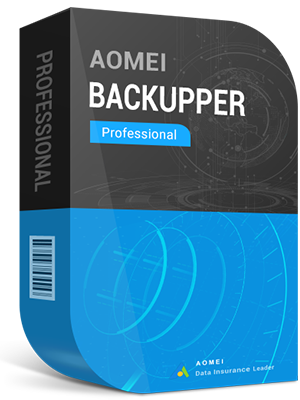
AOMEI Backupper Professional Edition Key Global
It's in stock now, welcome to order














You may also like
More



AOMEI Backupper Professional Edition, an advanced backup and restore software, contains all features of the Standard edition, provides complete and reliable PC backup and restore strategies for Win 10/8/8.1/7/XP/Vista. System Clone, Backup Scheme, Dynamic Disk Backup, Dissimilar Hardware Restore, Merge Images etc. and many useful features are available. As a disaster recovery solution, it will help you recover lost data and restore system effortlessly.
AOMEI Backupper Professional Edition, a complete software for Win PCs & Laptops, which contains all features of AOMEI Backupper and supports system/disk/files/partition backup, restore and clone as well as provides schedule backup, merge images, dynamic volumes backup, UEFI boot and GPT disk backup.
Features:
Backup: easily and safely protect everything, including system, disk, individual files and partition.
Restore: fast and reliable disaster recovery, supporting universal restore and selective restoration.
Clone: step-by-step transfer OS or upgrade hard drive without reinstalling Win and applications.
Utilities: backup schemes; make bootable discs; command line backup; check, explore, merge images, etc.
Related Products:
* AOMEI Backupper Professional + Free Lifetime Upgrades 5.0 Key Global
* AOMEI Backupper Professional Edition 365 Days 5.0 Key Global
* AOMEI Partition Assistant Professional 8.0 Edition Key Global
* AOMEI Partition Assistant Professional + Free Lifetime Upgrades 8.0 Edition Key Global
1. How soon will I receive the key after purchase? Where can I find it?
The key will be delivered automatically within 3–5 minutes. Go to “My Purchased Order” to retrieve it.
2. What should I do if my key cannot be activated?
There are several possible reasons why the key cannot be activated. The most common issue is incompatibility between your computer system and the key type purchased.
Please first check whether your system version (e.g., Windows pro edition) matches the key requirements.
If not, please contact our 24/7 online customer service, and we’ll assist you in replacing the key promptly.
3. How can I request a refund or exchange?
If you wish to request a refund or exchange, please reach out to our 24/7 online customer support and provide the following information:
• Your order number
• Relevant screenshots (e.g., activation failure message, purchase details, etc.)
We will process your request as quickly as possible.
4. How long does it take to receive a refund?
For PayPal payments, refunds are typically processed instantly.
For bank or credit card payments, it usually takes 7–10 business days for the funds to arrive, depending on your bank’s processing time and local policies.
If you have any concerns about the status of your refund, feel free to contact our support team at any time.
5. About returns and exchanges
Be sure to activate your license within 180 days of purchase.Free key replacement is available if any issues occur during this period.